Open Your Profile
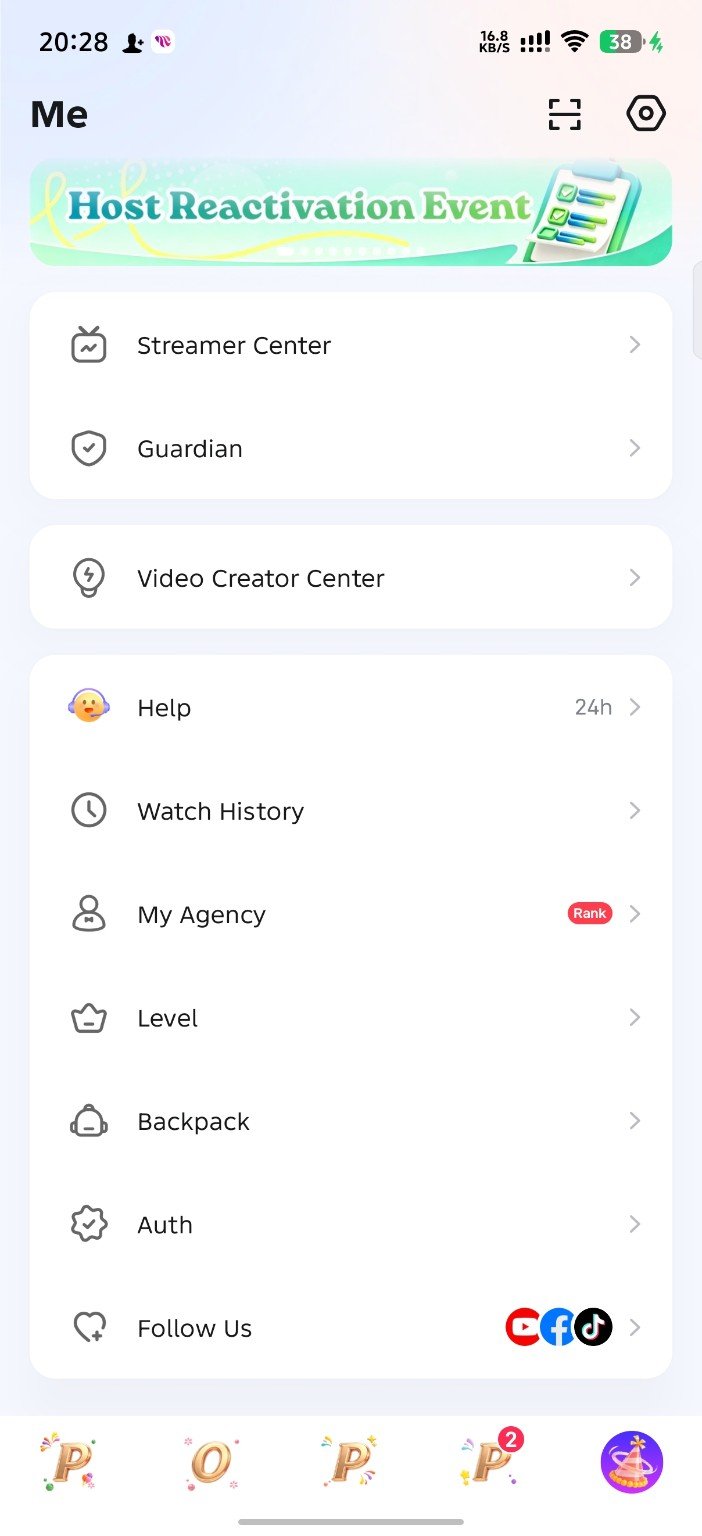
Open the Poppo Live app and sign in to your account. Tap the Me or profile icon at the bottom-right corner.
- Make sure you are logged in to the correct Poppo account.
- Scroll through the profile menu.
- Find the option named My Agency.
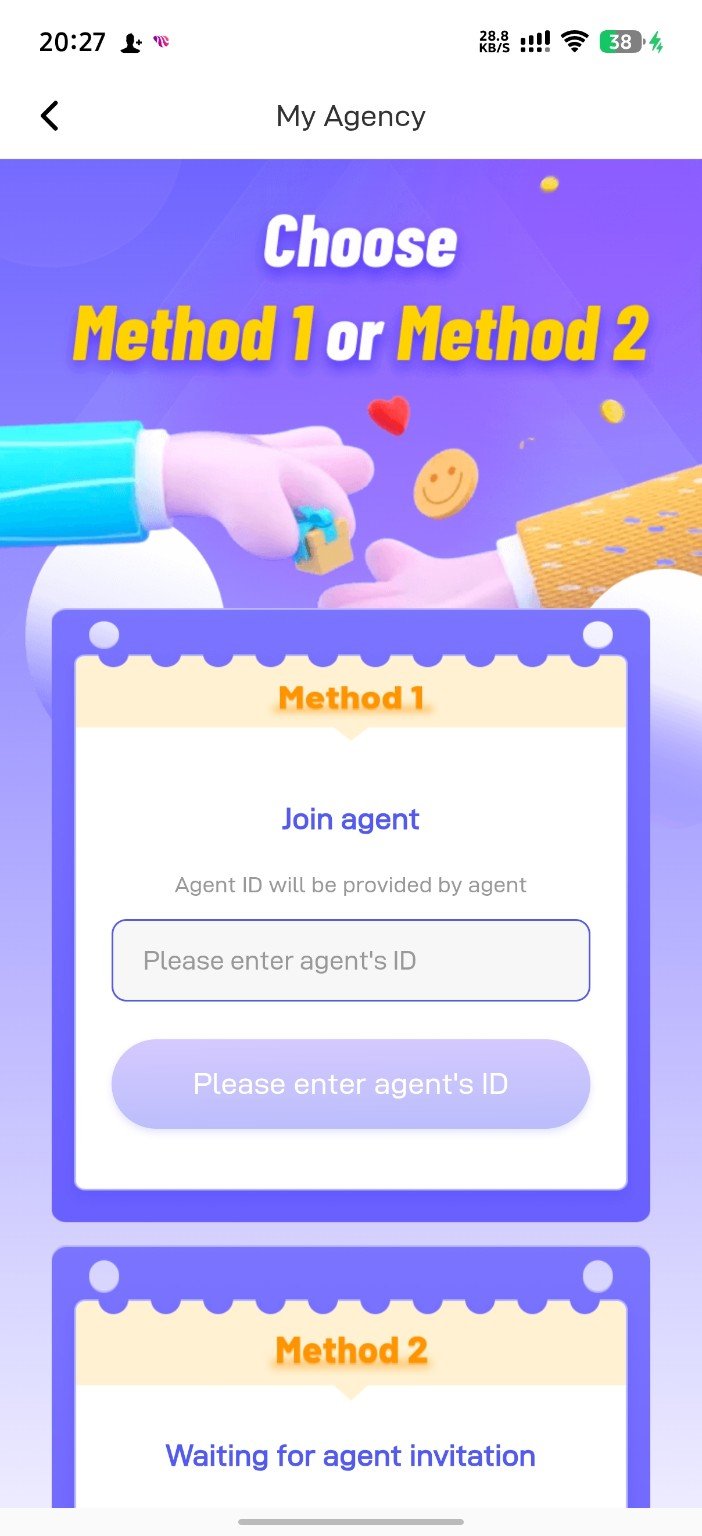
Follow this illustrated guide to join our international agency. The process is simple: open My Agency, enter our Agency ID, confirm, and complete your registration.
Follow every step exactly as shown in the screenshots below.
Open the Poppo Live app and sign in to your account. Tap the Me or profile icon at the bottom-right corner.
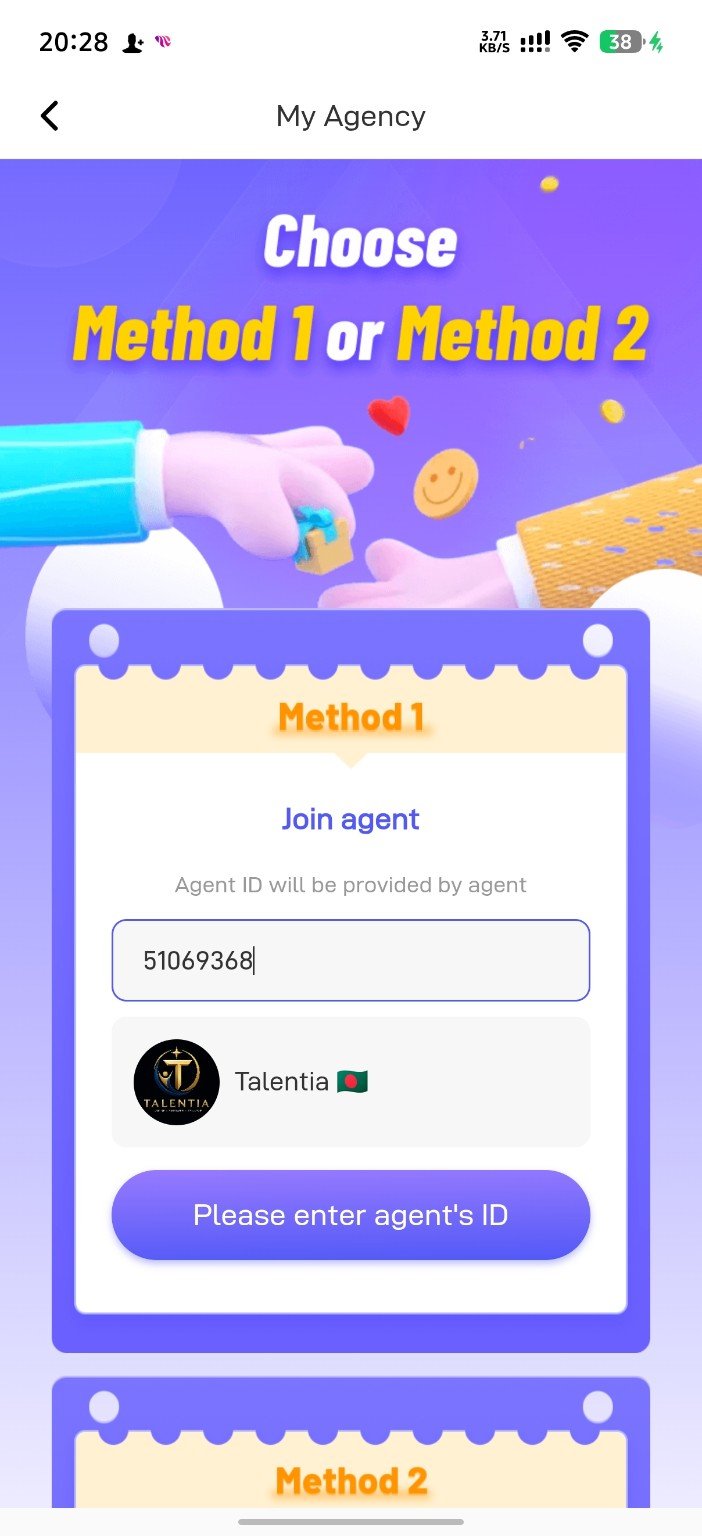
Inside the profile menu, tap My Agency. You will see two joining methods.
Method 2 is used when an agency sends a direct invitation. For the fastest process, use Method 1.
Type the following Agency ID carefully:
After entering the ID, the agency name Talentia should appear. Check the name and logo before continuing.
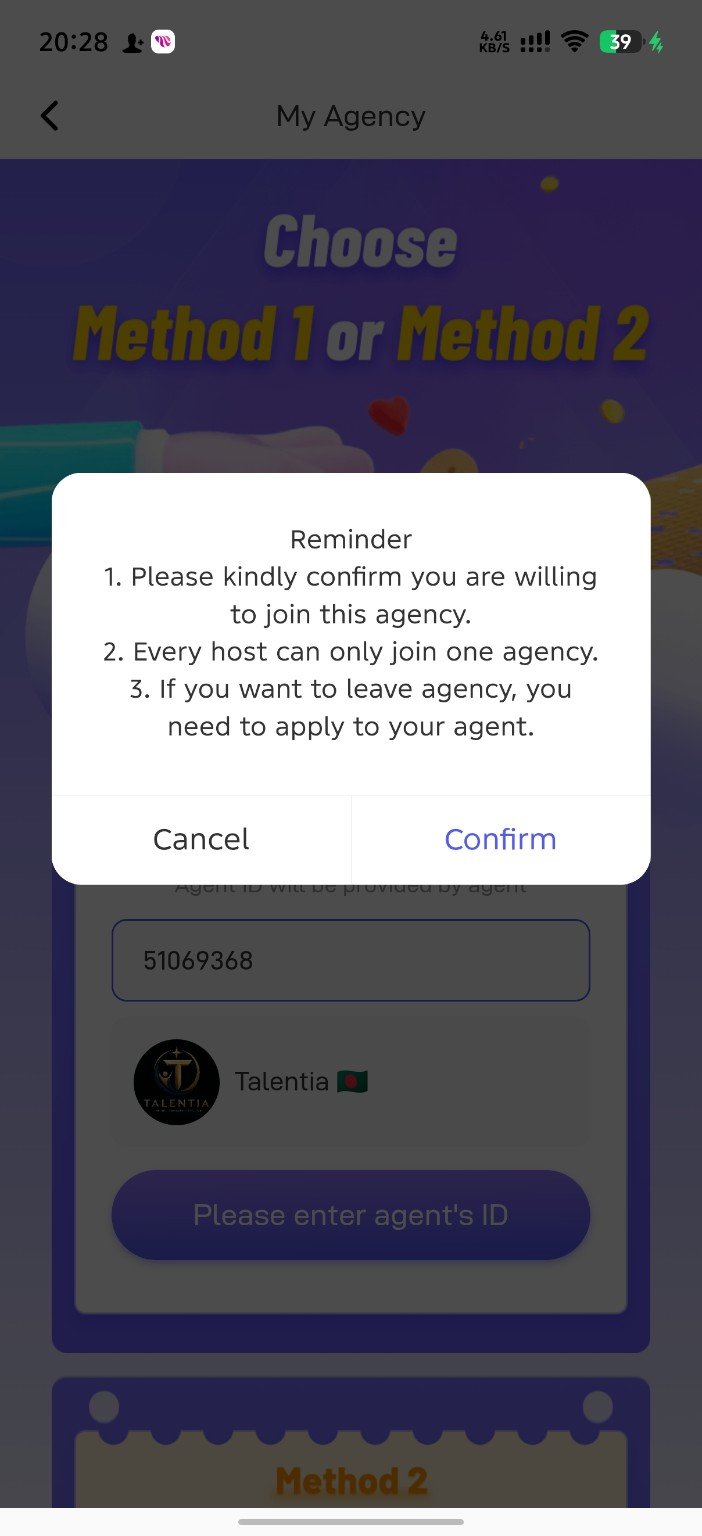
A reminder box will appear. Read the conditions carefully and tap Confirm.
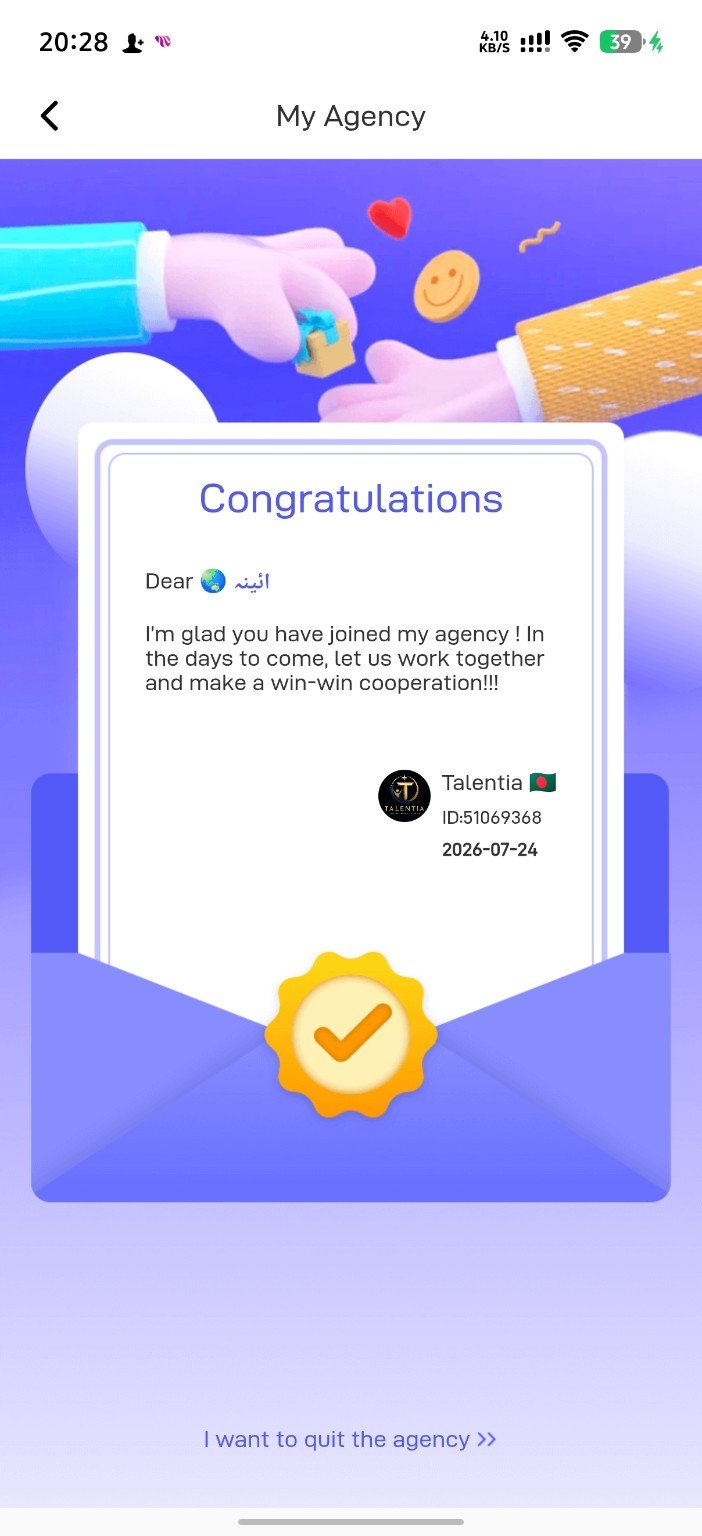
When you see the Congratulations screen, your account has successfully joined Talentia Agency.
Talentia welcomes eligible hosts from all countries. English is the default support language, and regional support may be provided depending on availability.
All nationalities are welcome.
Important information for new hosts.
Yes. You do not need to pay a joining fee to enter the agency through the official Agency ID.
The official Talentia Agency ID is 51069368.
Yes. Talentia operates internationally and welcomes eligible hosts from different countries, subject to Poppo Live rules and local availability.
Never share your password, OTP, payment PIN, recovery code, or other sensitive account information with anyone.
Take a screenshot of the Congratulations page and contact our WhatsApp support team with your Poppo ID and country.
Join Talentia International Agency and contact our team after completing the registration.